Everything your family needs, in one calm place.
Not a wall of features fighting for your attention - just the handful of things that actually run a household, done thoughtfully and shown the right way on every screen.
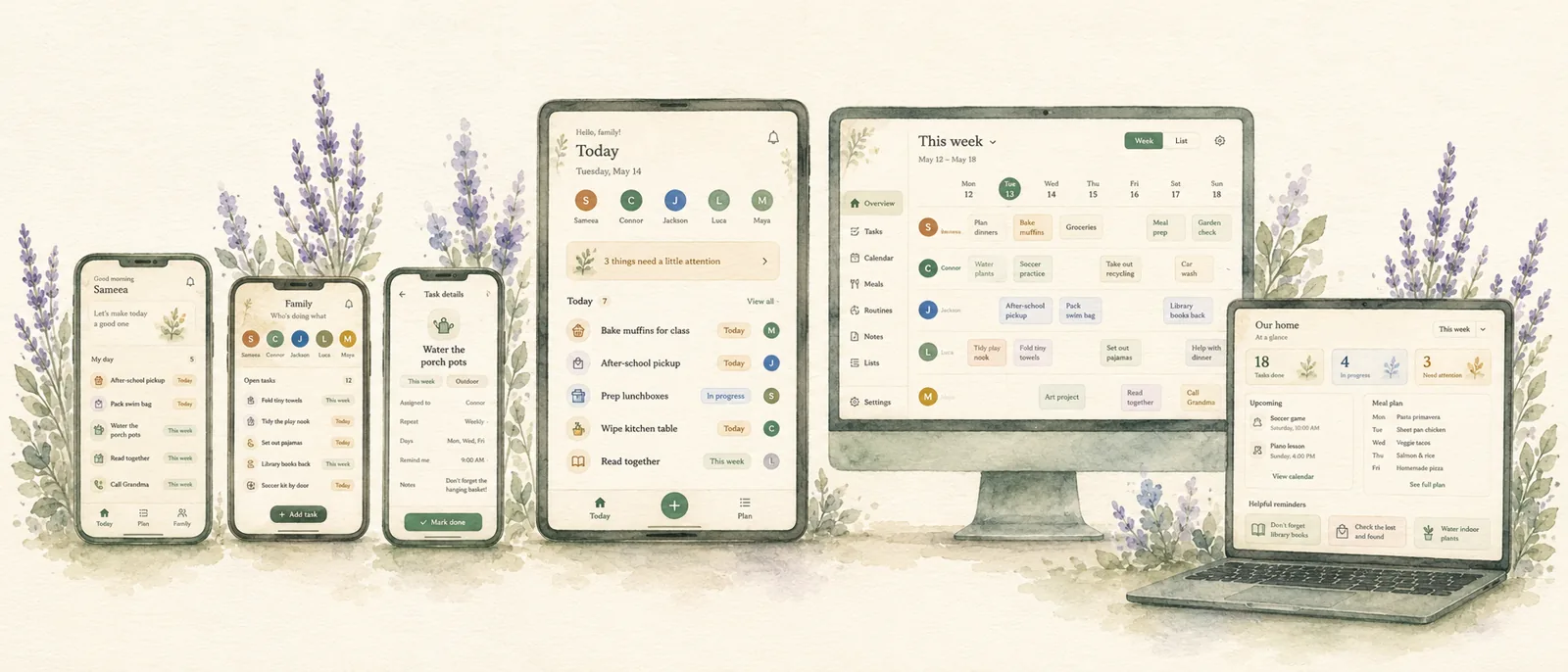
The same home life, on the right screen.
Set a device's role once and it boots straight into the right view - no clutter, no menus to dig through.
In your pocket
Capture a task in seconds, see what's next, tick it off. Fully usable offline; it syncs the moment you're back.
The kitchen hub
An always-on family view for any spare tablet. Glanceable and calm - and it never broadcasts private items to the room.
My Day
Big, friendly cards a child can actually use, with gentle rewards - and a calm "waiting to be checked" when a parent needs to sign off.
The full picture
Plan the week, manage people and routines, and sort the whole household when you have a quiet moment.
A calendar that thinks a step ahead.
Most shared calendars just draw the boxes. This one does the worrying - so a double-booking or a tight turnaround surfaces before it wrecks your morning, not after.
- Leave-by times - add a travel buffer and it tells you when to walk out the door.
- Conflict detection - flags two events that overlap, or a turnaround that's simply impossible.
- Week & month views with an "unscheduled" strip - nothing gets a fake time it doesn't have.
- Recurring chores - daily, weekly, or monthly, that quietly roll themselves forward. (Still on paper? Start with our free printable chore chart.)
Privacy that fits how families actually work.
Not everyone should see everything. Adults, kids, and helpers each get exactly the right view - so the babysitter has what they need, and your private notes stay private.
- Three roles - adult, child, and helper, each with sensible permissions.
- Three privacy tiers - shared, helper-visible, or adult-only, per item.
- Babysitter handoff - a clean view of just today's plan and the safety notes that matter.
- The kitchen screen never tells the room a secret exists - private items simply aren't there.
Encouragement for kids - never manipulation.
Kids get a real sense of progress without the dark patterns the app stores are full of. The reward engine has hard boundaries written into the code, not just the marketing.
- Gentle points & streaks that celebrate effort, with a grace day so a single miss never "breaks" anything.
- No leaderboards, no shame, no loot boxes - by design, and by rule.
- Parent check - a child marks a chore done, and it waits calmly for a parent to approve.
It does the remembering, so you don't have to.
One calm email each morning instead of a day of buzzing notifications. You start the day already knowing how it's going to go.
- A gentle daily digest - just your day: what's on, what's yours, what needs a leave-by.
- Approvals waiting for you, gathered in one place instead of pinging all day.
- No notification spam - it never nags you back in for "engagement."

Quietly solid underneath.
The boring engineering that makes a family tool trustworthy day after day.
Real-time sync
Tick something off on your phone and the kitchen screen updates in the same moment. Everyone sees the same truth.
Works offline
Add and edit with no signal - in the car, the basement, anywhere. Your changes queue up and sync safely when you're back.
Passwordless sign-in
A magic link in your inbox - nothing to forget, nothing to leak. Inviting a partner or caregiver takes one tap.
Installs like an app
Add it to your home screen and it runs full-screen like any other app - no app store, no download, no gatekeeper.
Your data, exportable
Download a full backup of your household whenever you like. It's your family's information - you can always take it with you.
Household-scoped
Your family's data lives in its own space, reachable only by the people you invite. No mingling, no surprises.
The honest bit: what's not here yet
We're independent and early, so we'd rather be straight with you. You can import an existing Google Calendar today; Apple calendar import isn't built yet - it's near the top of the list. There's no meal planner and no built-in messaging, because we'd rather do a few things genuinely well than a dozen things halfway.

See it running, free.
The fastest way to understand it is to open it. Start a 7-day free trial; after that it's $12/month or $100/year.